How my agents code when I am at the gym
Part 3 of my gym-coding setup: autonomous coding agents that keep working for you while you are out and about, and even while you sleep.
- 1. How I code from the gym
- 2. How I code from the gym — Part 2: Any AI tool, one command
- 3. How my agents code when I am at the gym
- 4. Ralph loops for SDK migrations: a case study
In Part 1, I set up OpenCode Web on my Ubuntu desktop so I could code from my phone between sets at the gym. In Part 2, I broke free from a single tool. Using SSH, tmux, and a session manager called vaibhav, I could run Amp, Claude Code, Codex, or any terminal AI tool from my phone with one command.
But here is what I did not fully appreciate while writing those posts: the unlock was not just “I can use any AI tool from my phone.” The unlock was autonomous coding through Ralph loops, where agents keep working without me.
Parts 1 and 2 were about me coding from the gym. This post is about the next unlock: what happens when I am not even looking at my phone and agents are still making progress.
From interactive to autonomous
In the first two parts, the workflow was always interactive. I would type a prompt, watch the agent work, review the output, then type the next prompt. The phone was a remote control. I was still the one driving.
But the pieces were already in place for something more hands-off:
- My desktop is always on, with SSH access over Tailscale
- tmux sessions persist even when I disconnect
- AI tools like Amp and Claude Code can run in headless mode, accepting piped input
- vaibhav already manages per-project sessions
What if, instead of typing prompts one at a time, a script picked up the next task, piped it to an AI agent, checked the output, committed if it passed, and moved on? And what if I could kick that off from my phone and walk away?
That is the Ralph loop.
What is Ralph?
Ralph, named after Ralph Wiggum from The Simpsons, is a technique coined by Geoffrey Huntley. In its purest form, it is absurdly simple:
while :; do cat PROMPT.md | claude-code ; doneThat is it. A bash loop that repeatedly pipes a prompt into a coding agent. In each iteration, the agent reads the current state of the codebase, does one thing, and exits. The loop then spawns a fresh instance with a clean context window.
The name is deliberate. Ralph Wiggum is not the sharpest. He comes home bruised because he fell off the slide. But if you put signs next to the slide saying “SLIDE DOWN, DON’T JUMP, LOOK AROUND,” Ralph is more likely to follow them. You tune Ralph by adding signs. Eventually, Ralph has enough signs that the output is surprisingly good.
A few key principles from Huntley’s original formulation:
- One thing per loop. Each iteration should do exactly one task. Not three, not “as many as you can.” One.
- Trust the agent to prioritize. Give it a plan with multiple items and let it decide what is most important. LLMs are surprisingly good at reasoning about priority and dependencies.
- Deterministically allocate the stack. Every loop iteration should start with the same context: the plan, the specs, the current state. Fresh context window, same starting point.
- Tune with signs, not supervision. When the agent makes mistakes, you do not fix them by watching. You add instructions (signs) to the prompt so the next Ralph avoids the same mistake.
Ralph is deterministically bad in a non-deterministic world. You know the failure modes. You can identify them, add signs, and iterate. Each loop is cheap. Run another Ralph.
The vaibhav Ralph loop
I built a Ralph loop directly into vaibhav. It takes the raw concept and adds structure around it: a PRD-based task queue, project auto-detection, quality gates, and progress tracking.
Here is the flow:
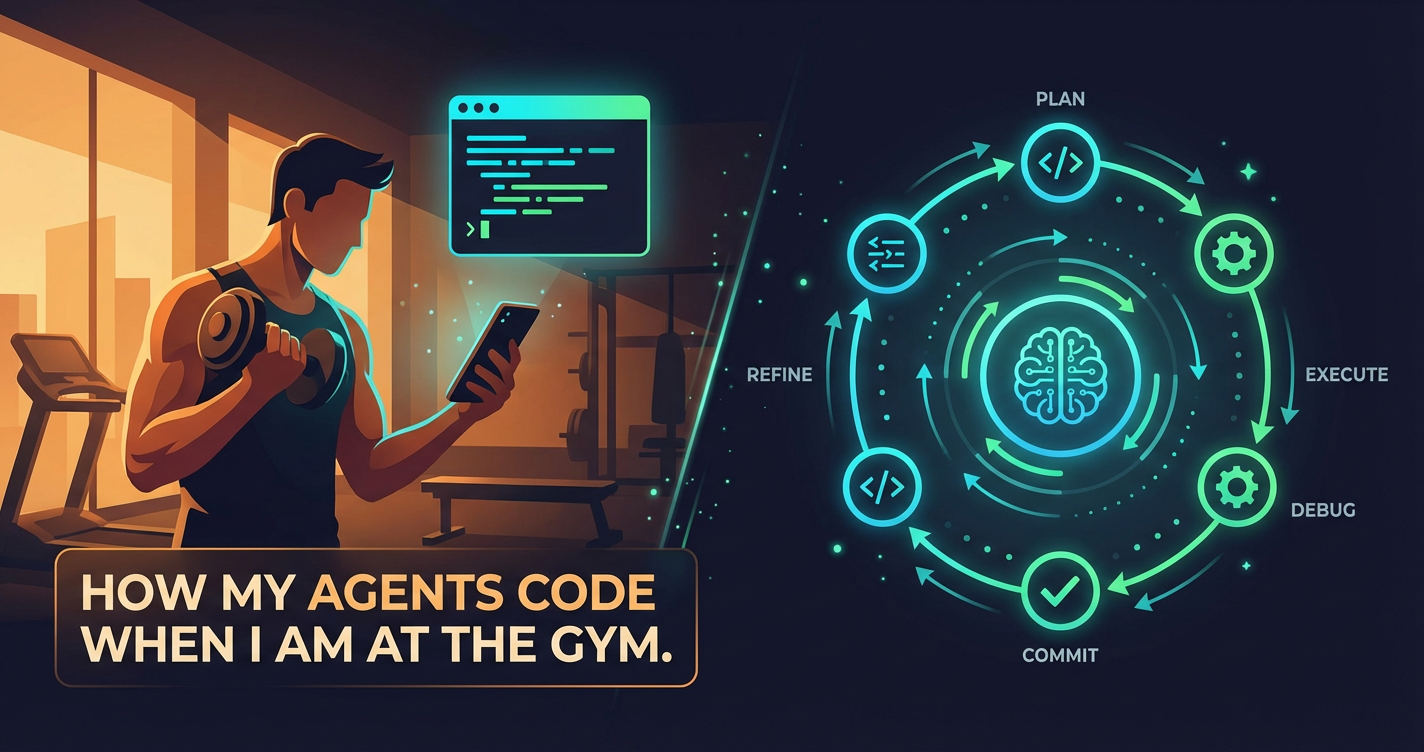
PRD → prd.json → Ralph Loop → Done
                    ↓
              Pick next story
              Implement it
              Run tests/lint
              Commit
              Update progress
              Loop ↺
Step 1: Initialize and write a PRD
First, Ralph scans your project to detect the language, framework, and available commands (test, lint, build, typecheck):
vaibhav ralph initThen you write a PRD by having a conversation with the AI:
vaibhav ralph prd create auth "Add user authentication with email/password login"The agent asks clarifying questions, you answer, and it generates a structured markdown PRD with user stories and acceptance criteria.
Step 2: Convert to a task queue
The PRD gets converted into prd.json, the machine-readable task queue that drives the loop:
vaibhav ralph prd convert tasks/prd-auth.mdThis produces something like:
{
  "project": "myapp",
  "branchName": "ralph/auth",
  "userStories": [
    {
      "id": "US-001",
      "title": "Add users table",
      "acceptanceCriteria": ["Create users table...", "Migration runs..."],
      "priority": 1,
      "passes": false
    },
    {
      "id": "US-002",
      "title": "Add login API endpoint",
      "priority": 2,
      "passes": false
    }
  ]
}
The converter ensures stories are right-sized (one context window each) and dependency-ordered (schema before backend before UI).
Step 3: Run the loop
vaibhav ralph runEach iteration:
- Reads
prd.jsonto find the next story wherepasses: false - Reads
progress.txtto learn from previous iterations - Checks out the correct git branch
- Implements that single story
- Runs quality checks: tests, lint, typecheck
- Commits with a structured message:
feat: [US-001] - Add users table - Marks the story as
passes: trueinprd.json - Appends learnings to
progress.txt - Loops back. If all stories are done, exits.
Each iteration spawns a fresh AI instance, a fresh Ralph. The context window is clean. The agent reads the plan and the progress log from scratch, picks up where the last Ralph left off, and does one thing.
The progress log is memory
The progress.txt file is what gives Ralph a memory across iterations. Each Ralph appends what it learned:
## 2026-02-17 - US-001
- Added users table with email, password_hash, created_at
- Files: prisma/schema.prisma, prisma/migrations/
- Learnings:
  - Must run `npx prisma generate` after migration
  - Database URL is in .env.local
---
The next Ralph reads this before starting, so it knows: do not run migrations without generating the client. Do not look for the DB URL in .env. These are the “signs next to the slide.”
There is also a ## Codebase Patterns section at the top for general patterns, things like “use server actions, not API routes” or “always validate with zod schemas.” Those persist across all stories, not just the one that discovered them.
Quality gates
Every commit must pass quality checks. The commands come from your project config:
commands:
  test: "npm run test"
  lint: "npm run lint"
  build: "npm run build"
  typecheck: "npx tsc --noEmit"
If Ralph breaks something, it does not commit. It tries to fix it within the same iteration. The loop only advances when the checks pass.
Running Ralph from the phone
This is where all three parts of the series come together. From Termux on my phone:
vaibhav ralph -p heimdall run --max-iterations 7That one command SSHes into my desktop, starts a tmux session, and kicks off the Ralph loop for my project. Seven iterations. Each iteration picks up a story, implements it, commits it, and moves on.
I put my phone down. I do my workout. Between sets, I check progress:
vaibhav ralph -p heimdall statusRalph Status
Project: heimdall
Branch: ralph/auth
Progress: 5/7 stories complete
● US-001 Add users table ✓
● US-002 Add login API endpoint ✓
● US-003 Add session middleware ✓
● US-004 Add login page UI ✓
● US-005 Add logout and session expiry ✓
○ US-006 Add password reset flow
○ US-007 Add rate limitingFive stories done while I was doing deadlifts. That is 5/7 stories (71%) in one unattended run. Story six was already in progress.
It works with any engine
Ralph is not tied to one AI tool. vaibhav supports Amp, Claude Code, and OpenCode as engines:
vaibhav ralph run --engine amp
vaibhav ralph run --engine claude
vaibhav ralph run --engine opencode
Each engine gets the same prompt, the same task queue, and the same quality checks. Different tools have different strengths, and the “signs” you need for each Ralph are slightly different. Sometimes Claude is better at reasoning about a complex schema migration. Sometimes Amp is faster at a UI component. You can switch engines between runs or even between projects.
What I have built with it
vaibhav itself was partly built by its own Ralph loop. One example is the installation and update system. I queued stories for version tracking, checksum verification, Termux downloads, desktop git pulls, SSH-based remote updates, and idempotent setup scripts. Ralph worked through them one story at a time.
Each story got its own commit, its own progress entry, its own set of learnings that the next iteration picked up. Story US-004 (Termux update with checksum verification) learned that sha256sum output uses two spaces between hash and filename. That learning was there for US-005 (SSH-based desktop update) to read.
Where Ralph still fails
Ralph loops are powerful, but they are not magic. They fail in predictable ways: stories that are too big for one pass, acceptance criteria that are too vague, and flaky tests that make good changes look broken.
When that happens, I do not babysit the loop live. I tighten the PRD, split the story smaller, or add one more sign to progress.txt, then run again.
This is review-first automation. Ralph can commit to a branch, but it does not auto-merge or auto-deploy. I still review diffs and run final checks before anything ships.
The real unlock
I still do all the interactive stuff from Parts 1 and 2. I still type prompts from my phone between sets, review diffs at school pickup, and do deep interactive sessions at my desk. None of that has changed.
Ralph loops are a new layer on top. They make the time when I am not coding productive too. I write the PRD, define acceptance criteria, set quality gates, and add signs. Then I start the loop and step away. When I come back, there are commits waiting for me to review.
Closing thoughts
The progression across these three posts mirrors how my workflow evolved:
- Part 1: AI tool as a remote service I connect to
- Part 2: Any AI tool, same workflow, from anywhere
- Part 3: Ralph loops running autonomously while I am away
Each part built on the last. Without the always-on desktop from Part 1, I could not run agents remotely. Without the multi-tool SSH setup from Part 2, I could not pipe prompts into headless agents. And without Ralph loops, those agents would just sit there waiting for my next instruction.
Part 3 is the step change. The unlock is not convenience. The unlock is autonomous coding: Ralph loops that execute one well-scoped story at a time, pass quality gates, record learnings, and keep moving while I am away.
The gym is incidental. I could be at the gym, at school pickup, asleep, or just doing something else entirely. If the loop is designed well, the agents keep coding and leave a clean trail of commits for review.
The setup is at github.com/manojlds/vaibhav. The Ralph loop documentation is in RALPH.md.